Who did which job, where and when — with proof.
An app on your team’s phones and a live panel on your screen. Every job starts and ends with a photo that carries its own time, place and name, so “did they really go?” never needs to be asked again.
Narrated in Turkish with English subtitles. Screens are the real program; names are examples.
What changes from the first day.
Following a field team from the office usually means paper, phone calls and trust. Here is what each of those becomes.
One job, five screens.
Scroll through a real job. The phone shows exactly what the staff member sees.
Sign in once
A user name and a 4-digit PIN from the manager. The phone stays signed in.
Start the job
The nearest customer is already at the top. Add a colleague and the job starts for both.
Take the start photo
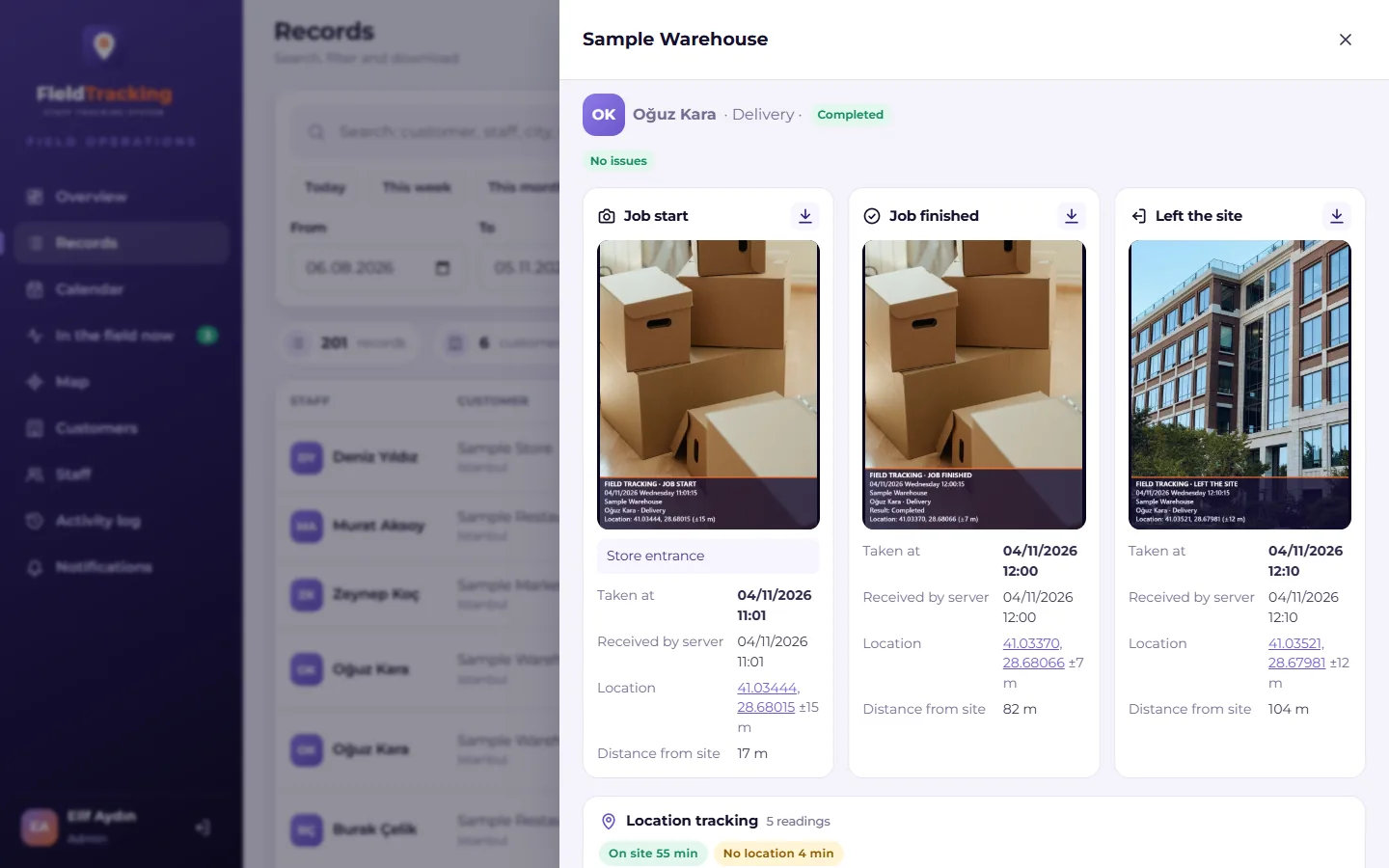
Only the in-app camera works. Date, time, customer, name and location are burned into the image.
Work, on the clock
A live timer runs. If the phone moves more than 500 m from the site, the manager is told.
Finish — it is already in the panel
Outcome, note and finish photo. The manager sees arrival, departure, duration and both photos the same second.
Sample Market · Emre Aydın
Regular visit · location ±8 m
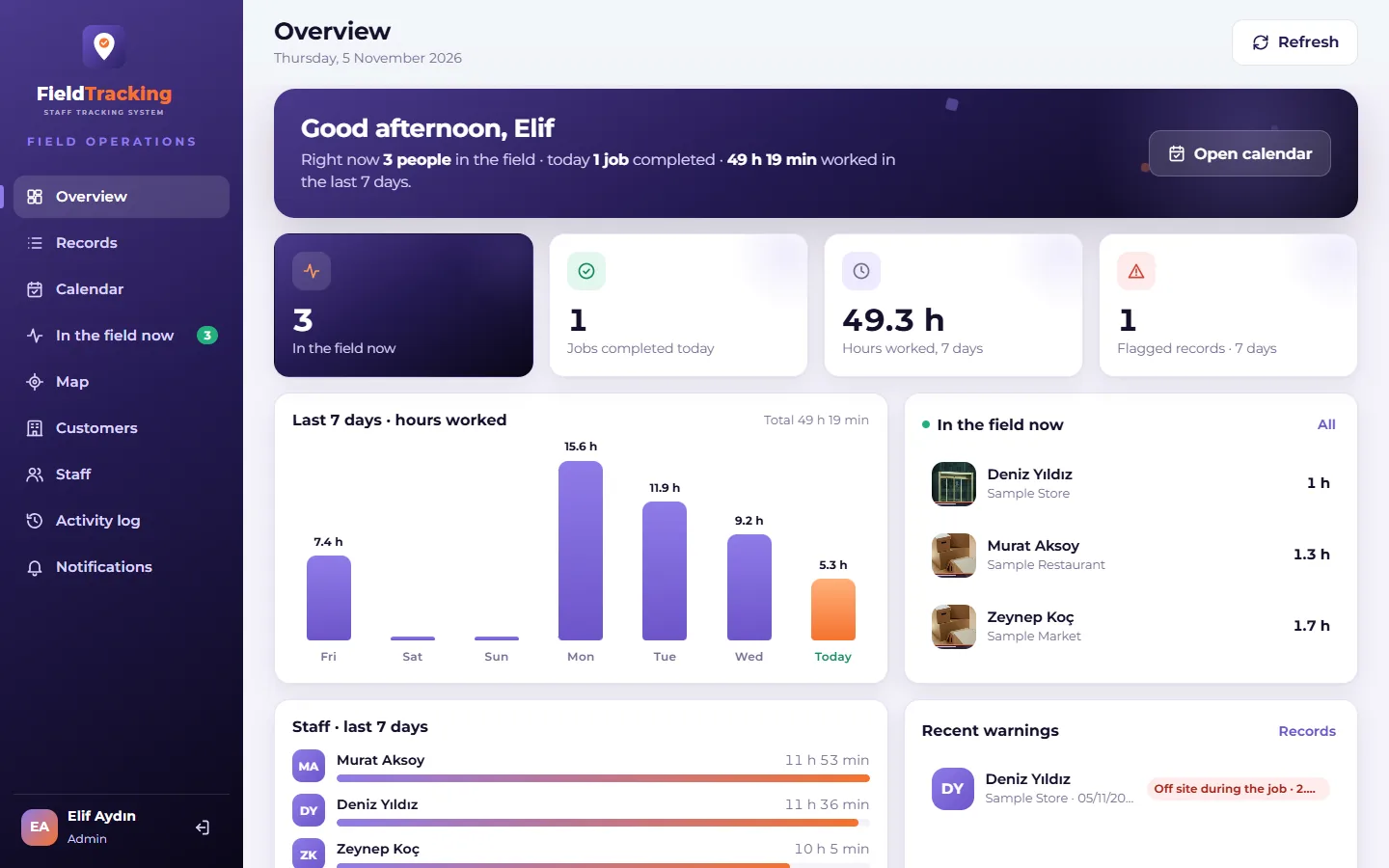
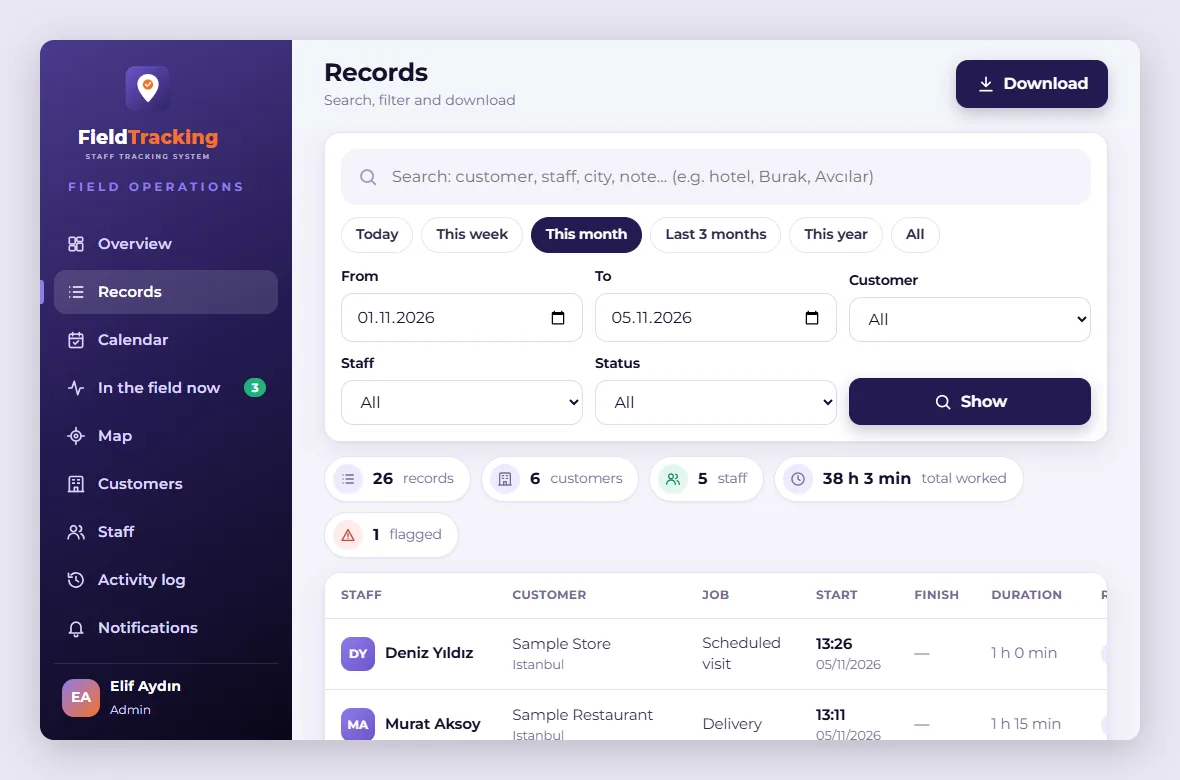
The whole field on one screen.
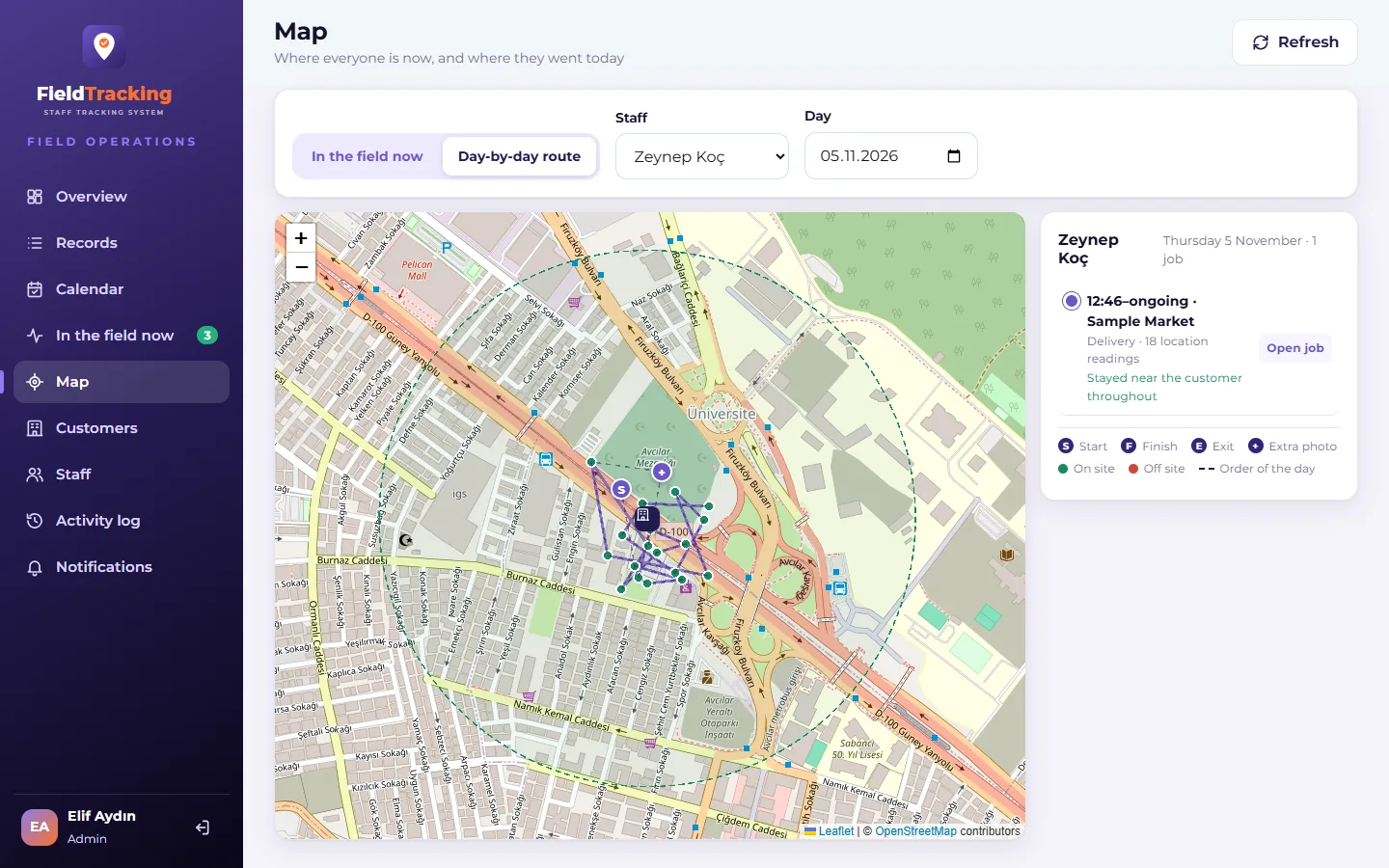
Open it on a computer or a phone. Every record shows arrival and departure, duration, outcome, both photos and any warnings. Screens use sample data; click one to enlarge it.
Simple for the team. Strict about the record.
In-app camera only
Old photos or pictures from the gallery can’t be used. Every photo is taken in the moment.
A stamp on every photo
Date and time, customer, staff, job type and location are burned permanently into the image.
The 500 m rule
Photos taken more than 500 m from the customer’s saved location are flagged in red.
No signal, no problem
In basements and remote sites the record waits on the phone and sends itself later, in order.
“On site now”
Who is at which customer, and for how long — on one screen, refreshed every minute.
Excel and PDF
Filter by date, customer, staff or status and export in one click.
One open job at a time
Nobody can start a new job before finishing the last one, so hours never overlap.
A reason for every unfinished job
Any outcome other than “completed” needs a short explanation.
Records nobody can edit
Staff can’t change or delete what they sent, and every admin action is logged.
What a single photo proves.
The system keeps not only the photo but when, where and with which phone it was taken — and compares the phone’s clock with its own. Anything unusual shows up as a flag in the panel.
Taken more than 500 m from the customer’s saved location.
The phone is ahead of the server: the clock may have been changed.
Taken offline and sent later — normal in basements.
Location permission was off or no fix was available.
The job was never finished; someone may have forgotten to check out.
Nothing on this record needs attention.
Live in a day, in four steps.
New versions arrive on their own; there is no app store approval to wait for.
Open the panel
Sign in with your admin account on a computer or phone.
Add customers
One by one or from Excel. A Google Maps link is enough for the location.
Add staff
Give each person a user name and a 4-digit PIN.
Share the link
Staff add the app to their home screen and allow camera and location once.
Any business with a team in the field.
Each company runs it under its own logo and colours, with its own customers, job types and rules.
Respectful to your staff
Location is recorded only while a job is open — never outside working hours. Staff see only their own records. If location permission is off, the record is still taken and flagged.
Careful with your data
All connections are encrypted. Passwords are stored so they can’t be reversed. Five wrong attempts lock an account for 15 minutes. Only signed-in, authorised people can see photos.
Questions people ask.
Do staff need an app store?
No. They open a link and add it to the home screen; it then opens like any app and updates itself.
Which phones does it work on?
Android and iPhone, with no separate app for each.
What happens where there is no internet?
The record is written to the phone first and sent automatically, in order, once there is signal. The time on the record is when the photo was taken, not when it was sent.
Can someone upload an old photo?
No. Photos can only be taken in the moment, with the app’s own camera.
What if someone changes the phone’s clock?
The system compares the phone’s clock with the server’s. If the phone is ahead, the record is flagged “Phone clock ahead”.
Can it carry our own brand?
Yes — your logo, colours, customers, job types and rules.
How is it priced?
By the number of staff and what you need. Contact us for a quote.
Your team is in the field. The proof is in your hands.
We’ll show you Field Staff Tracking live, set up with your own customers and job types.
- Set up with your own job types and customers
- The staff app and the admin panel, side by side
- Stamped photos and an Excel/PDF report from a sample day